
Free macOS app for Claude Code
Only the agents and skills each project needs.
BC Agentic Hub follows the GitHub repos you trust and installs just the pieces each project needs, so Claude stops loading everything everywhere.
The problem
Claude loads everything. You use a fraction.
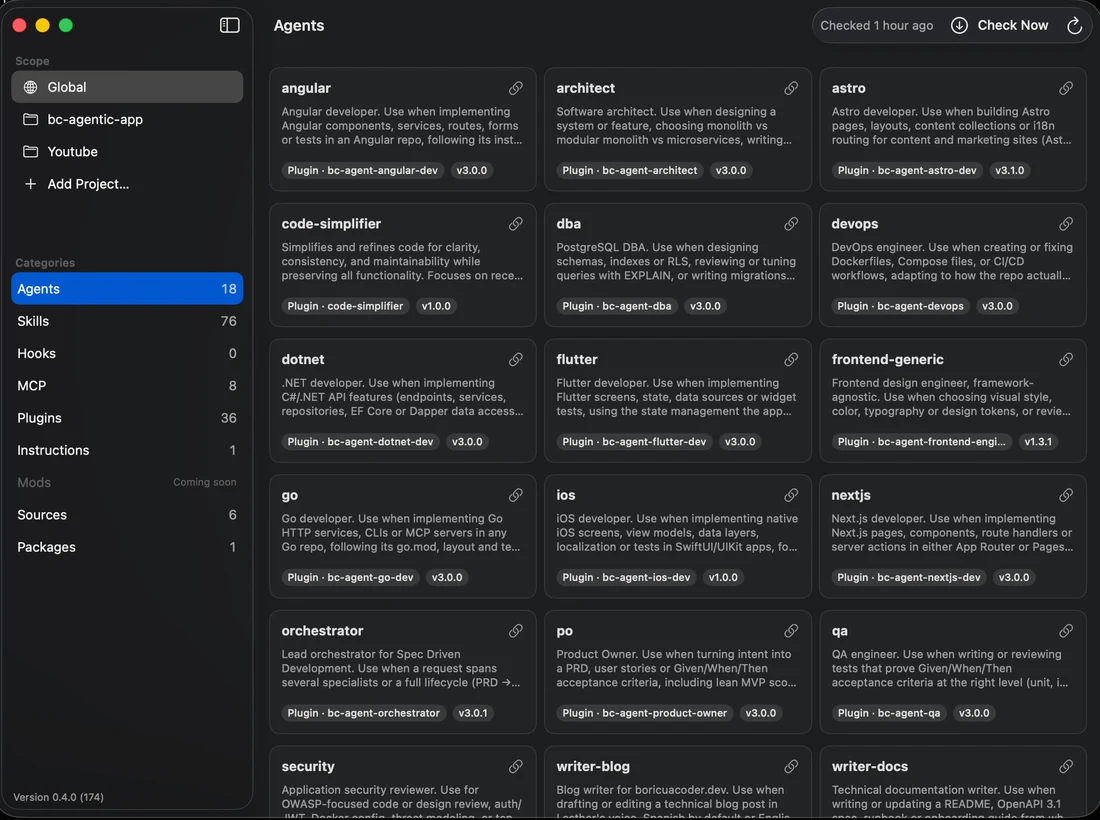
Your context goes to agents you aren't using
I had one plugin with hundreds of agents. It loaded into every project and ate Claude's context before I typed a single prompt.
Nobody tells you when a repo ships a new version
Skills and agents you copy from repos that aren't plugins never announce an update. You find out late, or never.
How it works
Follow a repo. Install what you need. Get told when it changes.
Three steps, all inside the app.
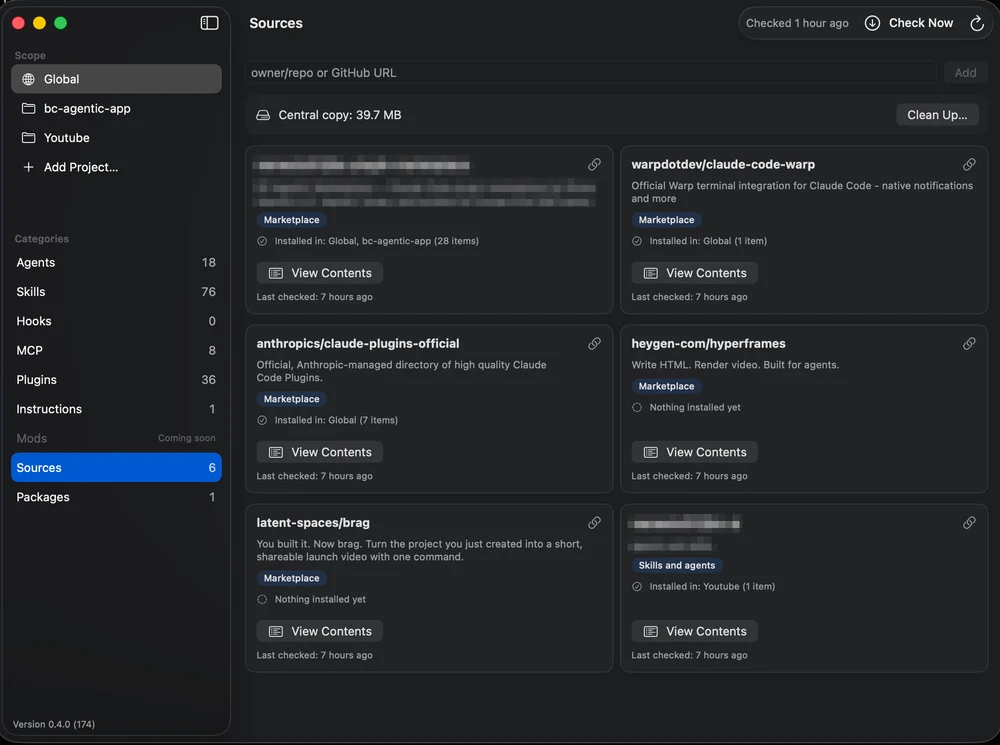
Follow repos in Sources
Paste owner/repo or a GitHub URL. The app downloads the repo as a tarball at an exact commit. No git clone.
Install per project
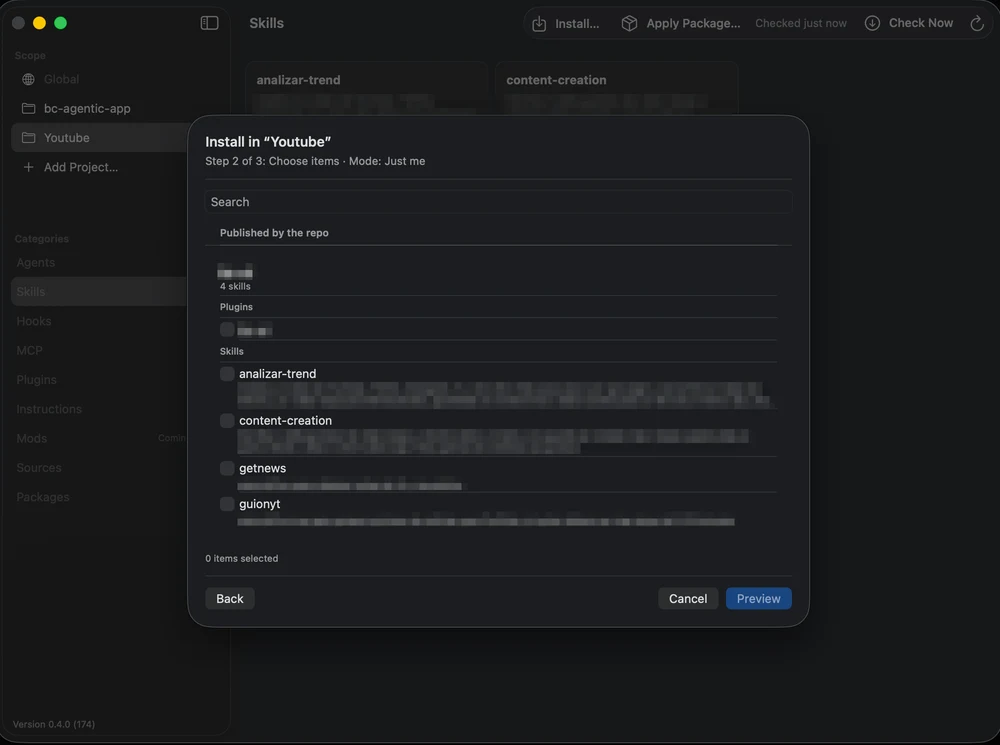
Open the Install sheet, tick only the skills, agents or plugins this project needs, pick Shared or Just me, preview, then apply.
Get told about updates
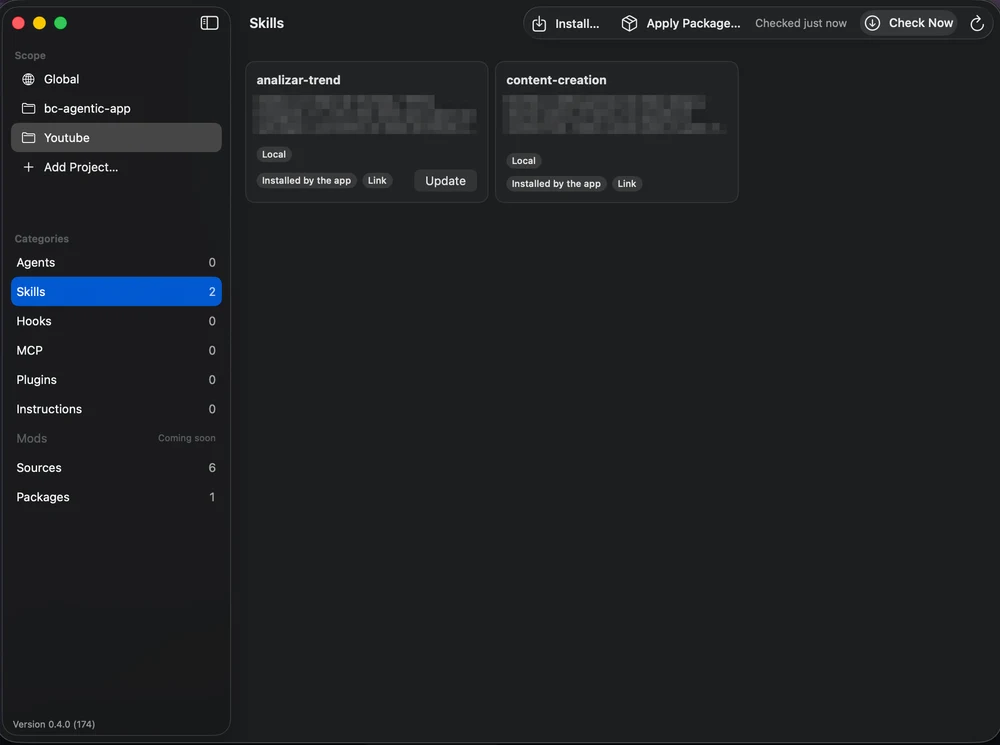
The app checks upstream on a schedule and notifies you. Hit Update, review the diff, and it backs up before it overwrites anything.
Same Mac, very different loads
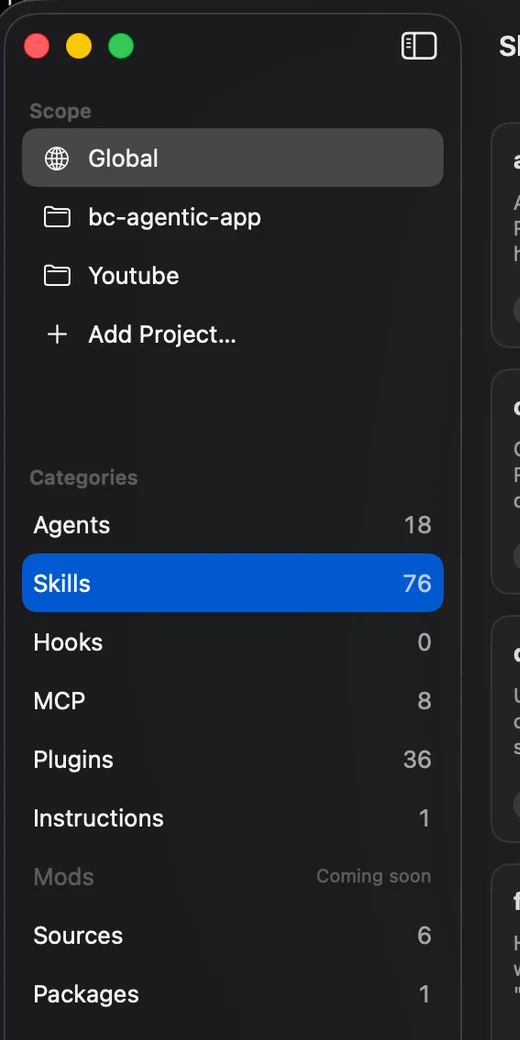
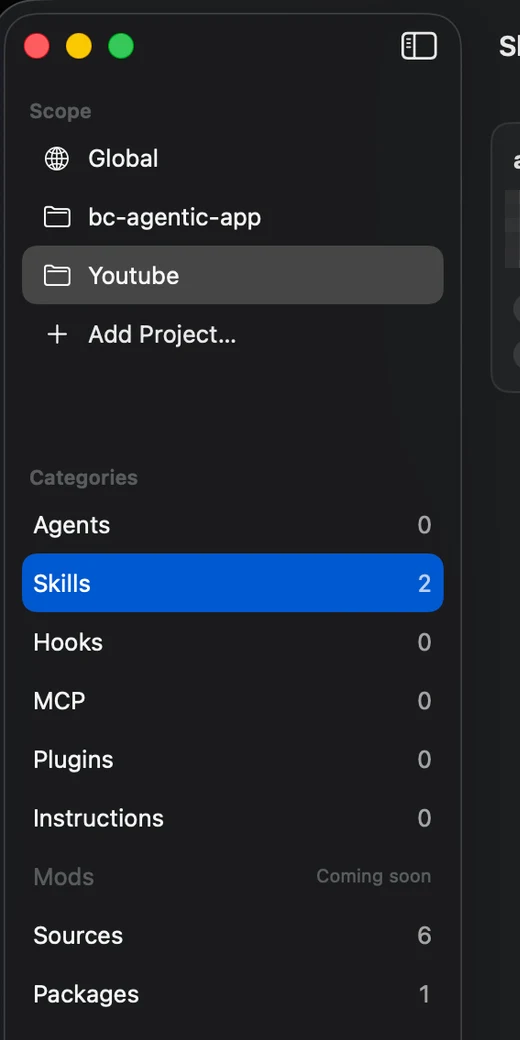
In my setup, Global holds 76 skills. My Youtube project only needs 2.
Features
Everything it does, nothing it doesn't
Inventory, global and per project
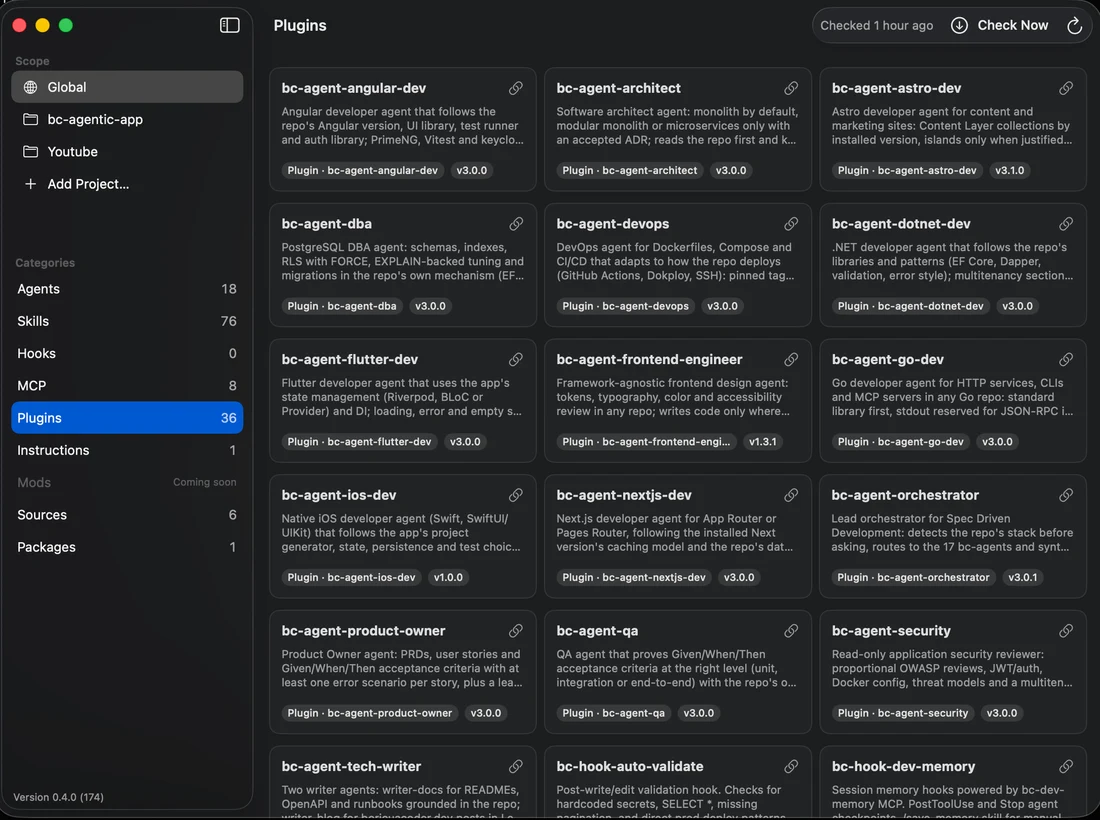
Skills, agents, hooks, MCP servers, plugins and instructions, from ~/.claude and from each project, in one place.
Shared or Just me
Shared copies the files into the project's .claude/, so they travel with the repo. Just me symlinks to a central copy and hides it through .git/info/exclude.
Packages
A package is a bundle of pieces you apply to a project in one go.
A diff before every update
See exactly what changes first. Files are backed up before they are overwritten.
No git clone
It downloads the repo tarball at an exact commit, so you always know which version you got.
Plugins through the CLI
Plugins install and update through the claude plugin command, not a custom installer.
Native, signed and notarized
A macOS 14+ app, universal for Apple Silicon and Intel. It updates itself.
English and Spanish
The whole interface comes in both languages.
See it in 30 seconds
The short version
The teaser: what went wrong, what I built, and what it looks like in use. Captions are on by default.
Transcript
On screen: a cascade of cards with counters at 18, 76 and 36, a context meter filling up, repos with unknown versions, the install sheet, the skill count going from 76 to 2, the Update button with a notification, and the logo with the follow call to action.
I had hundreds of agents loaded into Claude… in ALL of my projects.
It was a single plugin. Every project loaded everything and it ate up my context.
And the skills I grab from other repos… I never knew when a new version dropped.
So one weekend, I built my own app.
Each project gets only what it needs: from 76 skills… to 2.
And it watches my repos: when something updates, it tells me.
It's called BC Agentic Hub. Follow me for the launch.
Built in a weekend
I built the tool I kept wishing existed.
I'm Lesther, BoricuaCoder. I had a plugin with hundreds of agents, and it loaded into every single project and ate Claude's context. The skills I pulled from other repos never told me when a new version came out.
So over a weekend I built this app. It installs only what each project needs, it tells me when something changes, and it keeps my own setup readable.
FAQ
Questions people ask first
Is it free?
Yes. Download it, use it, no account.
Is it signed?
Yes. It's signed with an Apple Developer ID and notarized by Apple, so macOS opens it without the unidentified developer warning. Every release also ships a .sha256 file so you can check the download, and the app verifies the signature of each update before installing it.
What does it touch on my Mac?
Your ~/.claude folder and the .claude/ folder of each project you install into, plus its own folder in Application Support for the central copy of the repos. Before it overwrites a file, it backs it up. Just me mode also adds lines to the project's .git/info/exclude.
Do I need gh?
It's optional and recommended. If the GitHub CLI is installed and signed in, the app reads your own token with `gh auth token` on your Mac. It ships with no token, and it never stores yours. Without gh, public repos still work through GitHub's unauthenticated API, which limits you to 60 requests per hour. With gh the limit goes up, and you can follow private repos your account can access.
How does it update?
The app updates itself. It also checks the repos you follow on a schedule and notifies you once per update.
What are the requirements?
macOS 14 or later, on Apple Silicon or Intel. Plugins use the claude CLI, so Claude Code needs to be installed for those.
Ready to try it?
Download for macOSmacOS 14+ · Apple Silicon & Intel · Signed & notarized by Apple · Free